Accessibility Screen Filter
A cross-platform desktop app that eases reading for people with dyslexia, curated colour overlays, a custom-colour picker, an on-screen reading guide and global shortcuts.
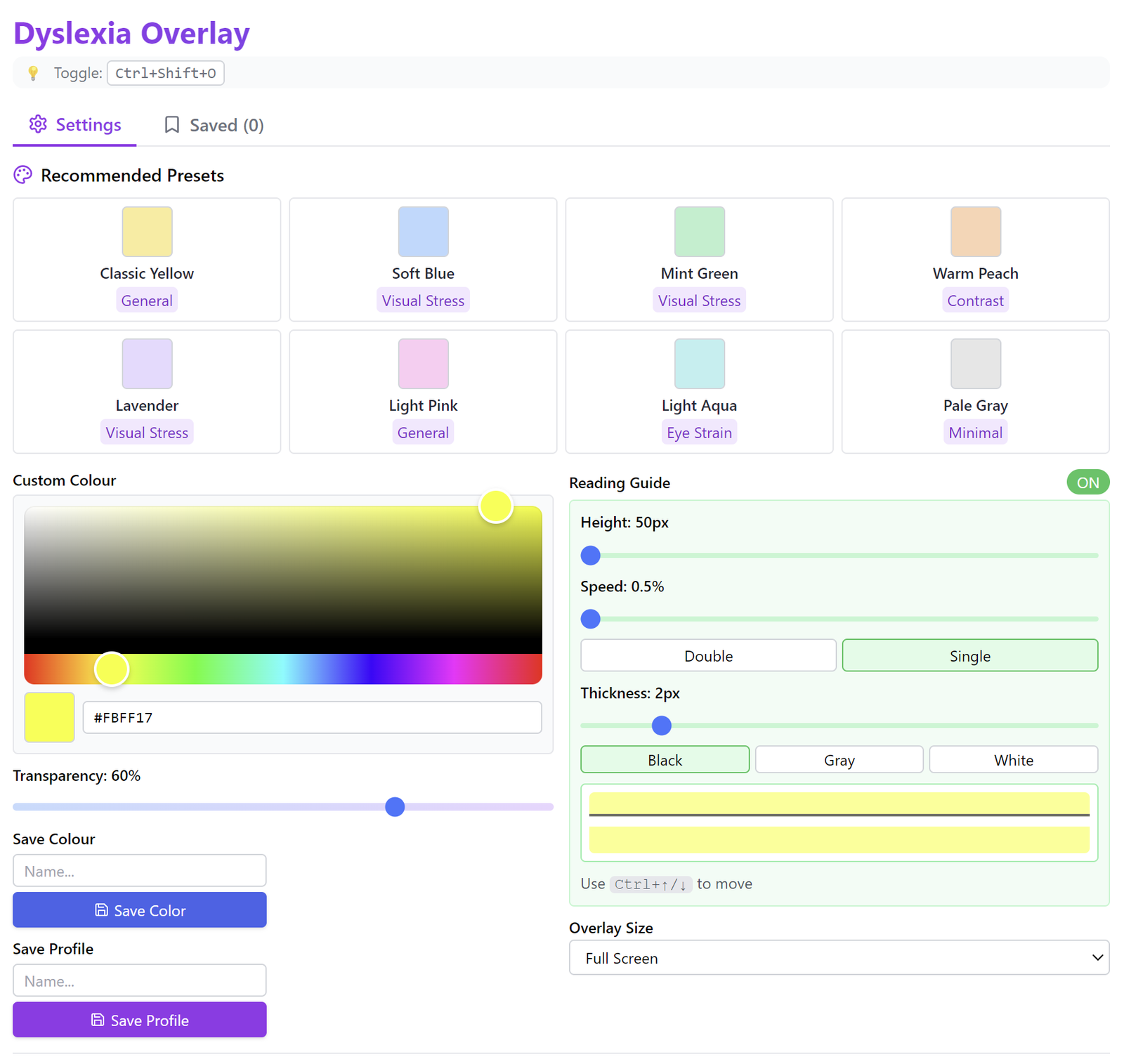
Overview
A cross-platform accessibility desktop application, built with Electron and React, that helps people with dyslexia read more comfortably. It offers curated colour presets, a full custom-colour picker with adjustable transparency, a movable on-screen reading guide and savable colour profiles, all applied as a full-screen overlay that sits above every other application.
The challenge
Deliver a genuinely system-wide overlay, sitting above every window, toggled and adjusted by global shortcuts, and updating in real time, while packaging and shipping it reliably across platforms.
The solution
An Electron shell wrapping a React interface, rendered as a frameless, always-on-top, full-screen overlay above every other window. Global keyboard shortcuts toggle the overlay and nudge the reading guide, colour and opacity update live, and saved colours and profiles persist between sessions. Cross-platform builds are packaged and released automatically through a GitHub Actions CI/CD pipeline.
The outcome
An accessible, polished reading aid that works across the whole desktop, demonstrating product thinking, real-time interface work and end-to-end delivery from build to automated multi-platform release.
Have something worth engineering properly?
Tell us about the problem. We'll tell you how we'd build it.